ATS-Friendly Resume Templates: Build Resumes That Get Noticed
Build an ATS-friendly resume in minutes using our free, professionally designed templates. Resume Suite helps job seekers like you beat the bots and land interviews—without paying a rupee.
An ATS-friendly resume is one that passes through Applicant Tracking Systems—software used by employers to filter, scan, and rank job applications. Most companies, especially large organizations, use ATS to handle high volumes of applications. If your resume isn’t properly formatted or doesn’t contain the right keywords, it may never reach human eyes.
The solution? Use a resume template that’s specifically built to be readable by ATS algorithms—like the ones we offer at Resume Suite.
Why Use an ATS-Friendly Resume Template?
Even the most impressive experience and skills can be overlooked if your resume doesn’t pass the ATS scan. Here’s why you should choose ATS-optimized templates:
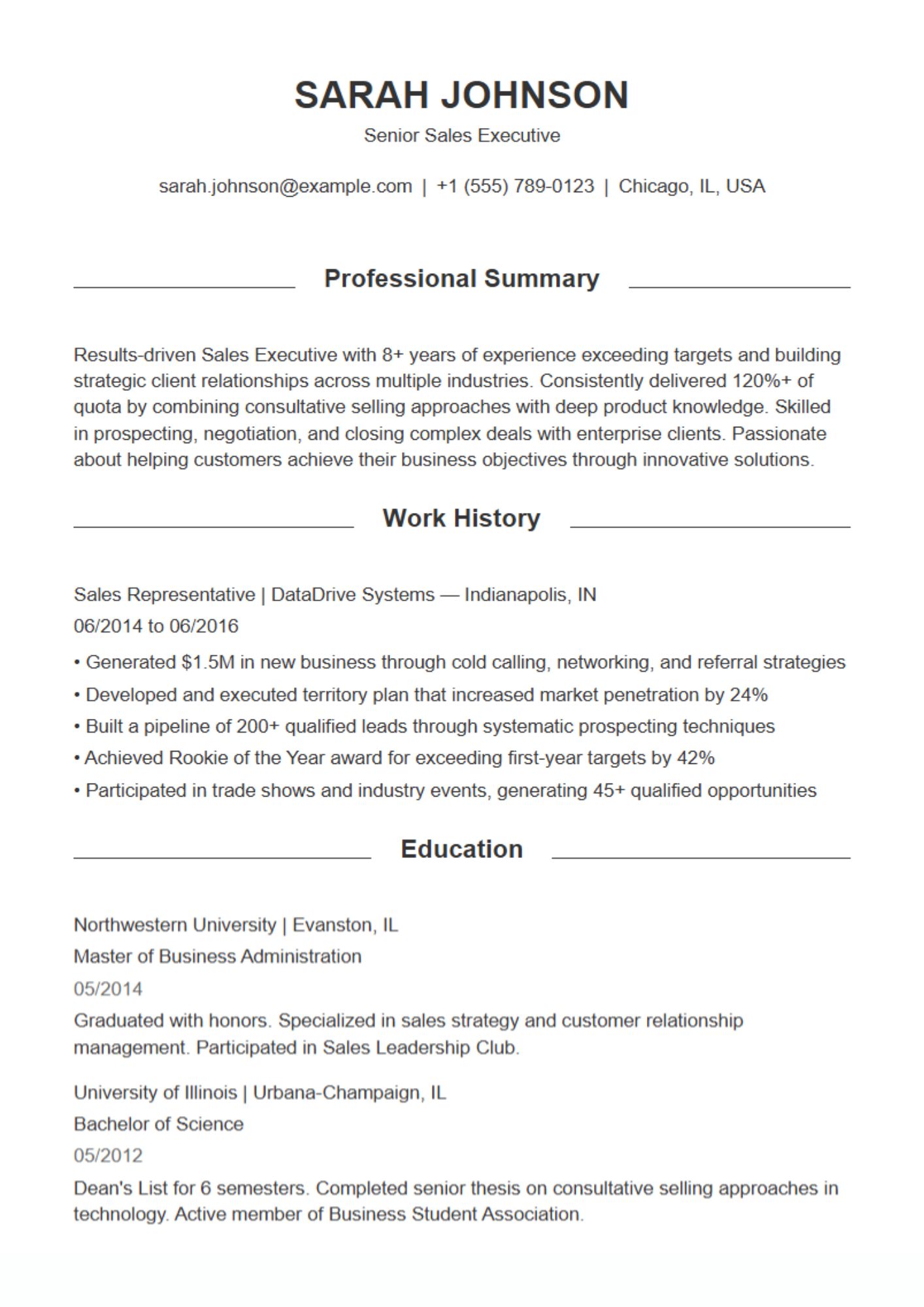
✅ Correct formatting: Clean layout without tables, images, or complex designs that confuse ATS software.
✅ Proper keyword placement: Space for adding role-specific terms that help you match the job description.
✅ Structured sections: Templates that include all critical resume components—summary, experience, skills, education, and more.
✅ Universal fonts and styling: Fonts like Arial and Calibri that are readable across all ATS tools.
Our templates are designed to meet all these criteria, ensuring your resume doesn’t get tossed by the bots.
Features of Resume Suite’s ATS-Friendly Resume Templates
How to Create an ATS-Friendly Resume (Step-by-Step)
Choose an ATS-Optimized Template
Browse our collection of clean, modern resume designs that are proven to pass ATS systems.
Add a Targeted Resume Summary
Craft a compelling summary using keywords that match your target role.
Customize Your Work Experience & Skills
Use bullet points with measurable achievements and power verbs like “Led,” “Managed,” “Improved,” “Resolved.”
Include the Right Keywords
Look at job postings in your industry and integrate relevant terms into your resume.
Download & Apply
Once you’ve filled out your resume, just hit download. No watermarks. No paywall.
What is an ATS and why is it important?
An ATS (Applicant Tracking System) is a software tool used by employers to sort and filter job applications. It scans resumes for relevant keywords, formatting, and structure before a recruiter ever sees them. If your resume isn’t ATS-compatible, it may be rejected automatically—even if you’re qualified.
What makes a resume ATS-friendly?
An ATS-friendly resume uses simple formatting, standard section headings (like “Experience” and “Education”), readable fonts, and no graphics or tables. It also includes role-specific keywords and follows a clear layout that can be easily parsed by software.
Are all Resume Suite templates ATS-compatible?
Yes! Every resume template on Resume Suite is professionally designed to pass ATS scans. We use clean structures, standard fonts, and logical layouts to ensure your resume is never rejected by the software.
Can I use Resume Suite’s ATS templates for free?
Absolutely. Resume Suite is a 100% free resume builder. You can choose any template, fill it out using our builder, and download your resume in PDF format with no hidden charges or watermarks.
Can I customize the ATS resume templates?
Yes! All templates are fully customizable. You can edit section titles, add or remove sections, rewrite content, and tailor your resume for different job roles and industries.
What file format should I use for ATS resumes?
Always download your resume in PDF format, unless the job listing specifically requests Word (.docx). Resume Suite allows you to easily download your resume in PDF, which is the most commonly accepted format.
Can I use multiple templates for different jobs?
Yes. In fact, it’s recommended to tailor your resume to each job application. You can create multiple resumes on Resume Suite using different ATS-friendly templates, all for free.
How do I know if my resume passes ATS?
If you’re using one of our ATS-optimized templates, you’re already 90% there. To improve further, match keywords from the job description, use bullet points for achievements, and avoid images or creative layouts.
Do I need to include keywords in my resume?
Yes. ATS systems rely heavily on keywords to determine if a candidate fits the job. Use words and phrases from the job posting—especially under skills and responsibilities.
Are Resume Suite templates good for all industries?
Yes! We have ATS-ready templates suitable for IT, marketing, finance, healthcare, business development, education, customer service, and more. Just choose the template that best fits your industry and job level.
How long does it take to create an ATS-friendly resume?
With Resume Suite’s intuitive builder, you can create a professional, ATS-ready resume in under 10 minutes. Just select a template, enter your information, and download instantly.
Have a question?
Have a query? Please check this question and answers